


Brand Basics
Delta Dental Green (Pantone® 361) is our base color.
Coated color values
Delta Dental Green
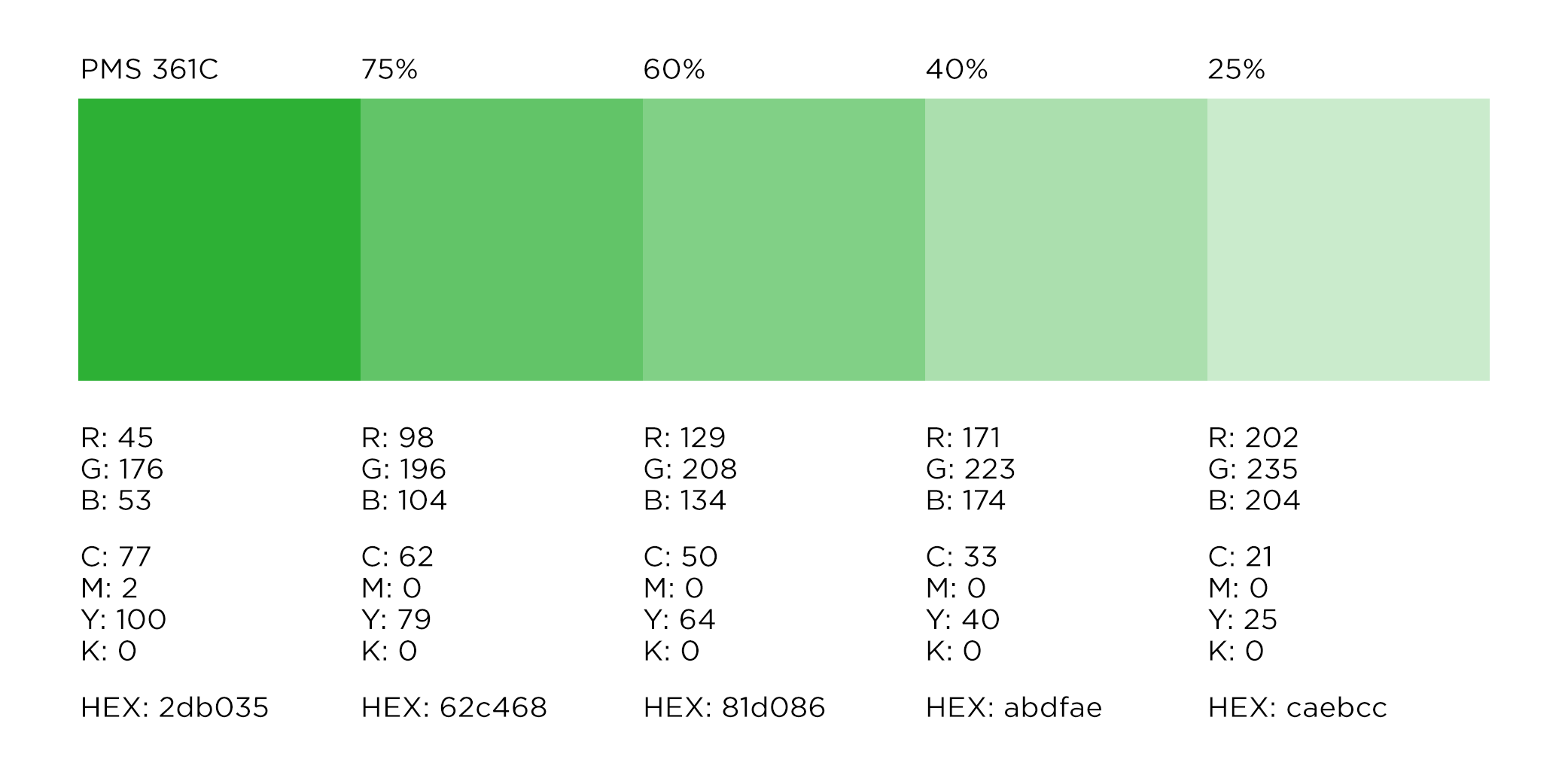
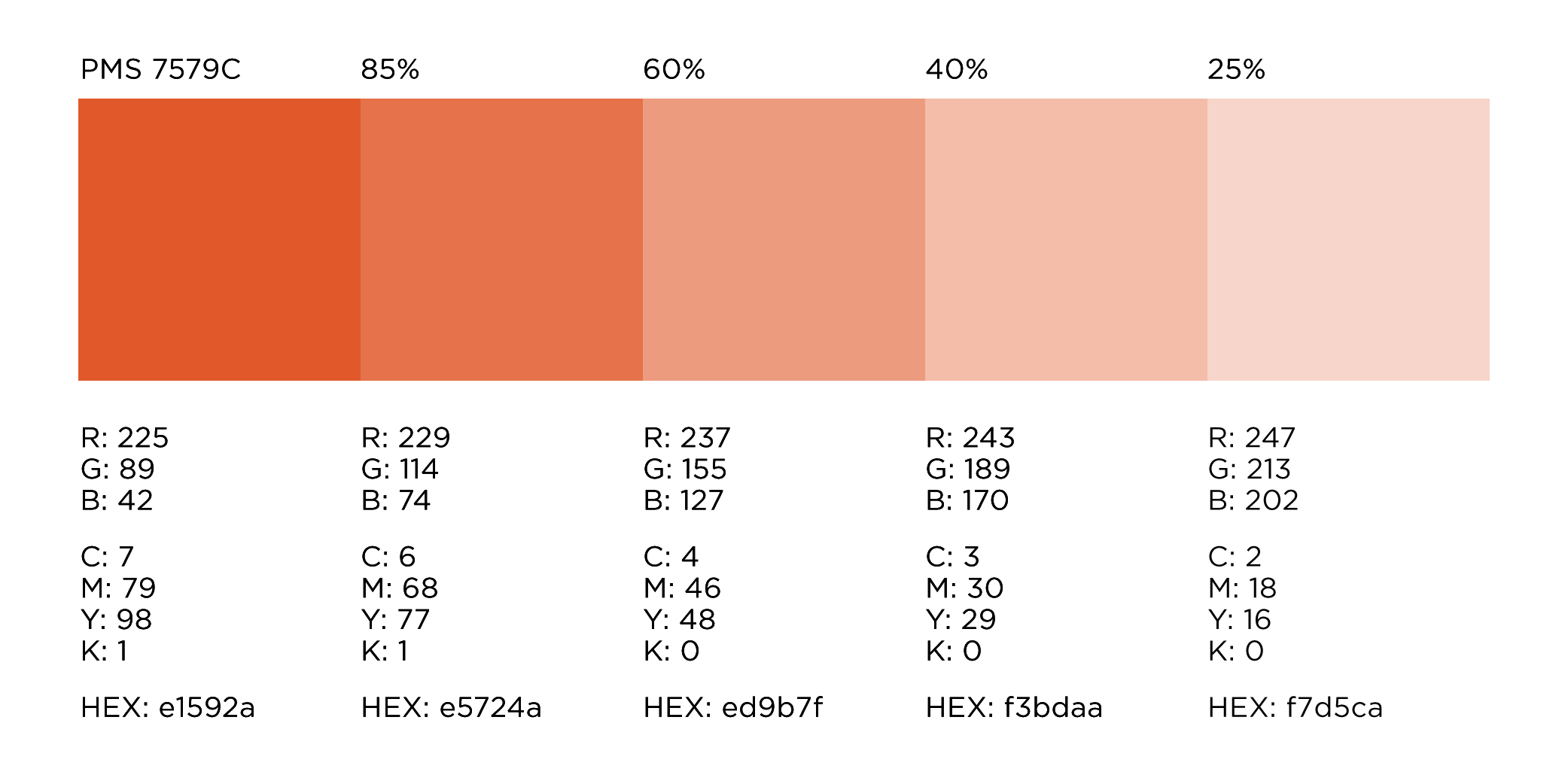
Secondary colors


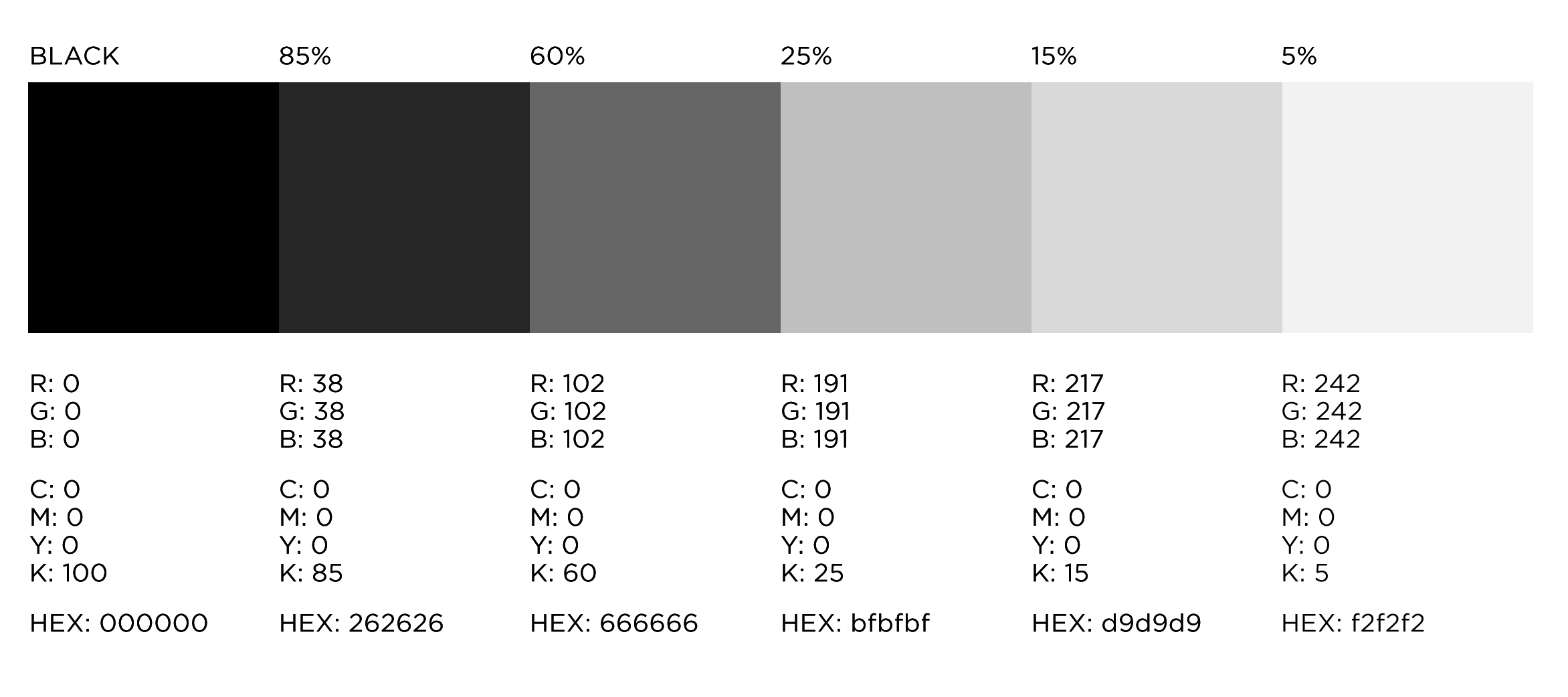
Black color values
Uncoated color values
For print jobs on uncoated stock that rely on CMYK values, please use the uncoated color values available here.
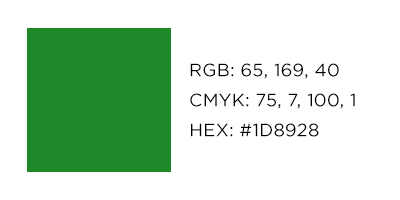
ADA accessible colors
For text and non-text UI on a white background, the following WCAG 2.2 AA compliant orange variant is recommended for web applications:

For text and non-text UI on a white background, the following WCAG 2.2 AA compliant green variant is recommended for web applications:
How to use the Delta Dental signature colors
The consistent use of our colors is a major factor in recognition and memorability for the Delta Dental brand. This color system is intended to offer flexibility in design and interpretation across all applications.
Delta Dental Green, in its base color value of 100% PMS 361, should be the dominant color in all materials associated with the Delta Dental brand. The three secondary colors in the color palette should be used as accents and highlights to add visual interest and clarity. These secondary colors can be used interchangeably, as appropriate, to the materials in development. Secondary colors should never be used for the corporate signature. The signature colors should not be layered in such a way that creates a new color that is not apart of the color palette.


Includes approved color palette and suggestions on how to combine colors within the Delta Dental color palette.
Transparency
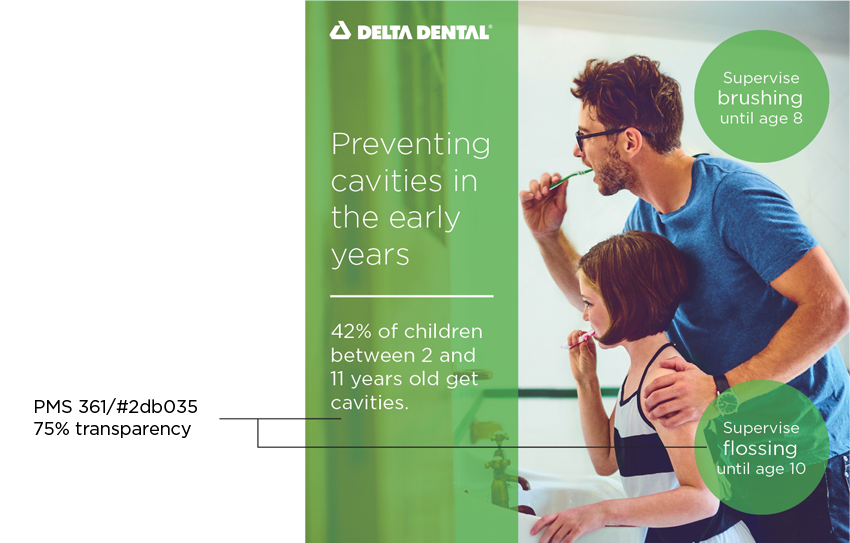
Correct usage:
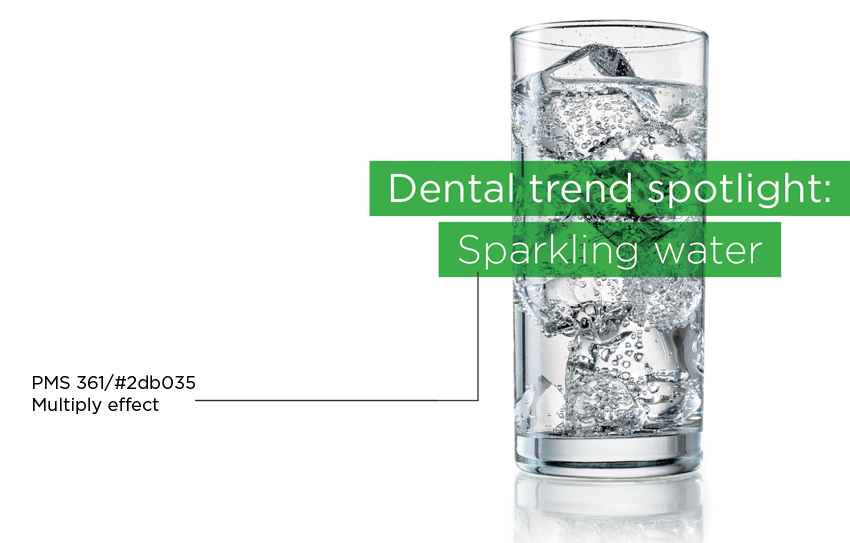
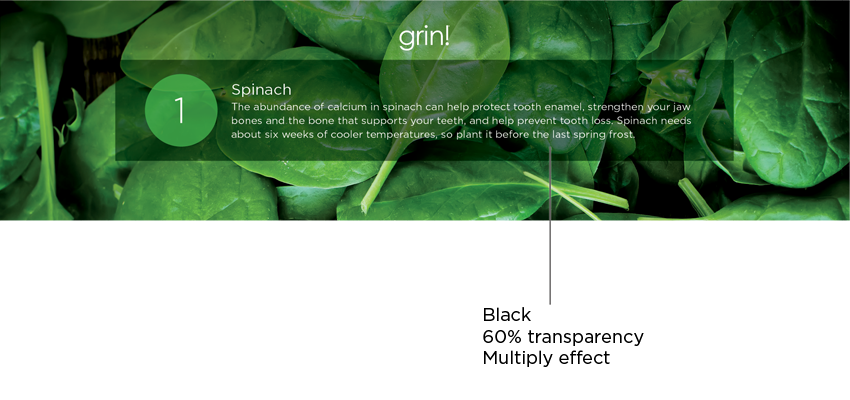
Only Delta Dental Green or black can be overlaid on a photo or background if the image isn’t too busy or distracting to affect readability of the copy. In cases where there is shorter copy or only a headline, green can be multiplied on top of an image.
Incorrect usage:
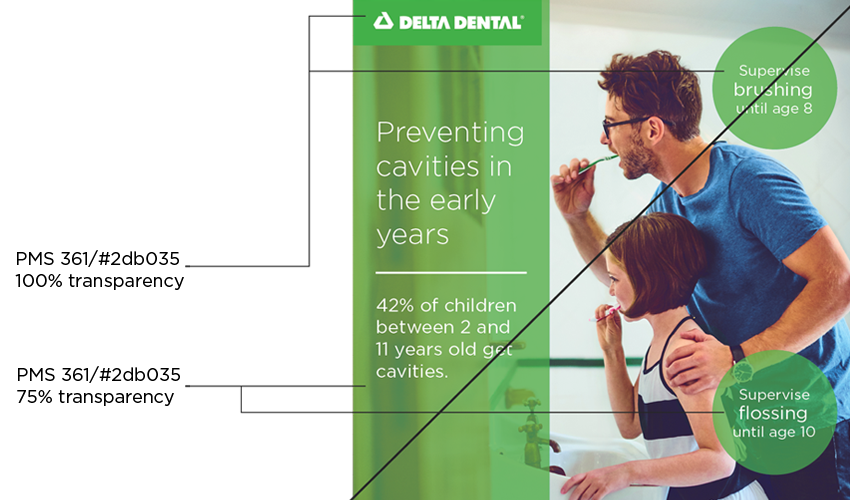
Do not mix elements with and without transparency. When placing the Delta Dental logo on a transparent element, use the unbounded logo as shown above.
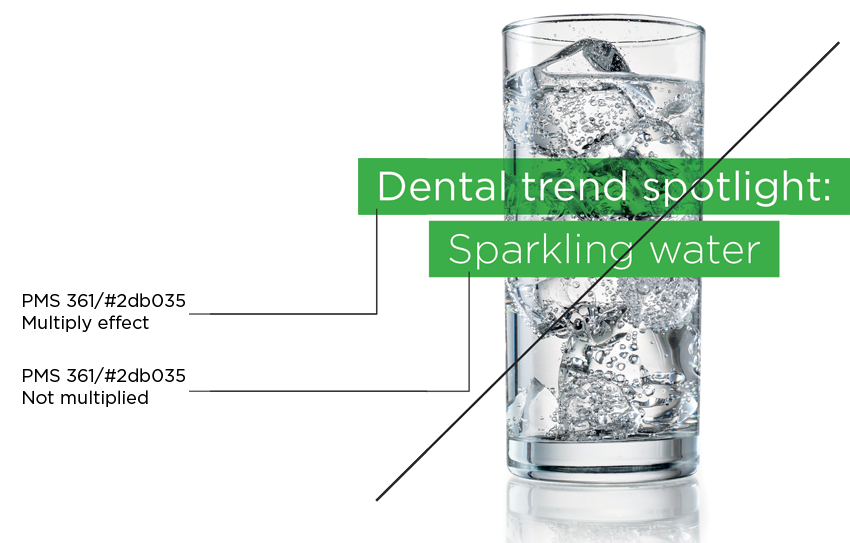
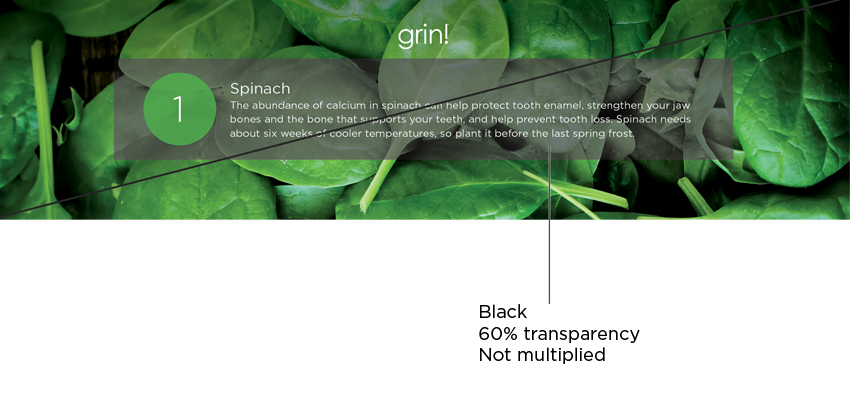
When using black transparency, set the element to multiply in the effects panel.